WordPress 6.9: Unleash New Features, Blocks & APIs for Enhanced Web Creation
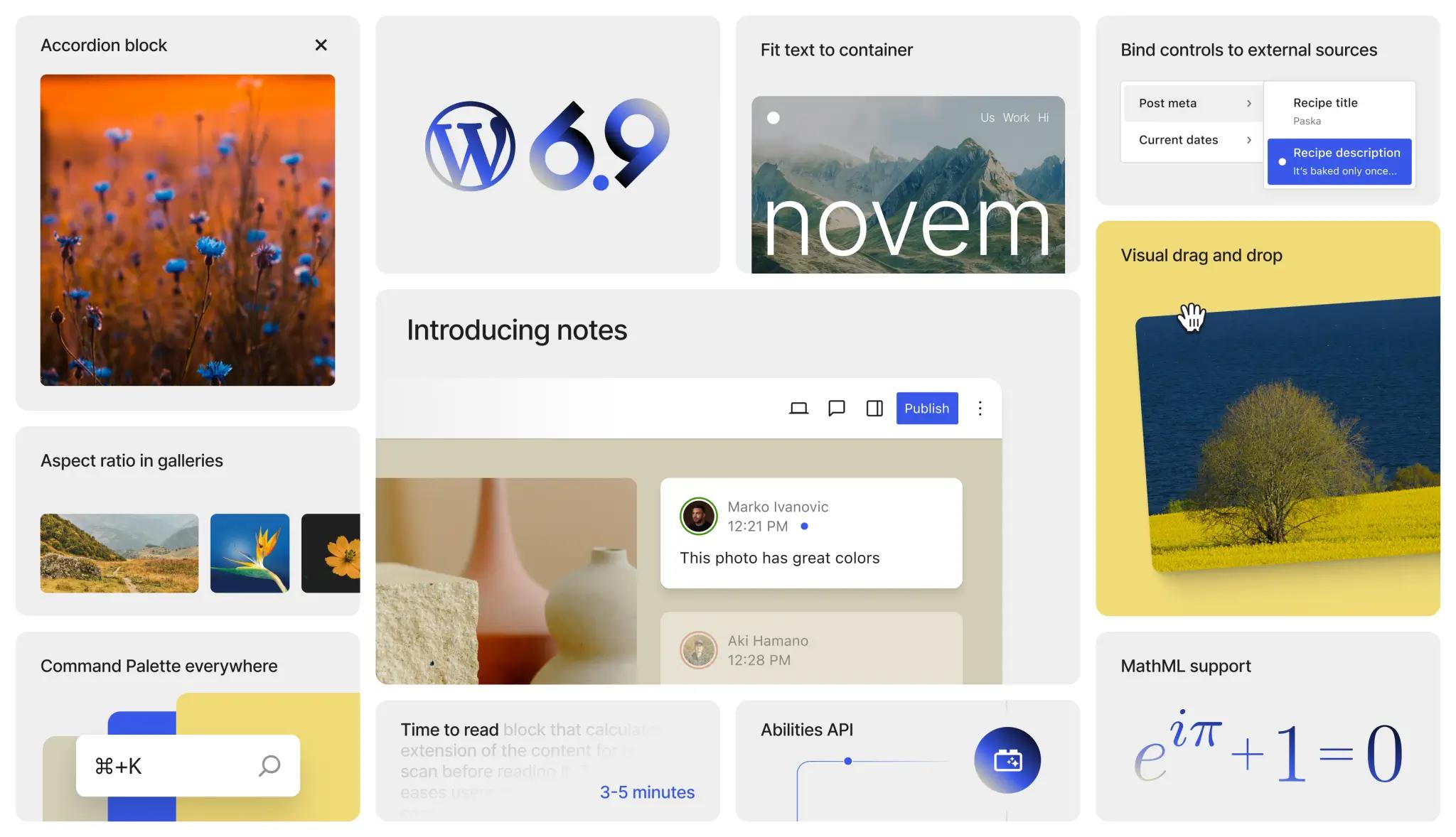
WordPress 6.9 "Aurora": A Strategic Leap for Developers and Creators
TL;DR
WordPress 6.9, codenamed "Aurora," is a significant release focusing on enhanced AI integration, improved site performance, and more intuitive content creation. Key updates include the new AI-Powered Layout Block, a Content Versioning API, and significant refinements to the Block Editor for a smoother user experience. It's designed to empower both developers and casual users with smarter tools for building dynamic, modern websites.
WordPress 6.9, affectionately codenamed "Aurora," has arrived, bringing a suite of powerful updates designed to push the boundaries of what's possible with the world's most popular CMS. This release is a testament to WordPress's ongoing commitment to innovation, blending cutting-edge features with essential performance enhancements. Whether you're a developer pushing the limits of custom builds or a content creator looking for more intuitive tools, 6.9 delivers substantial improvements across the board.
Key Highlights of WordPress 6.9 "Aurora"
This release focuses on three core pillars: making content creation smarter, empowering developers with more robust tools, and ensuring your site runs faster than ever.
1. The AI-Powered Layout Block: Smart Design at Your Fingertips
Perhaps the most anticipated feature, the new AI-Powered Layout Block, brings a new dimension to site design. Users can now describe their desired page layout or content structure in natural language, and the block will intelligently generate a starting point.
- How it Works: Simply type prompts like "a landing page with a hero image, three feature sections, and a testimonial carousel" or "a blog post layout with a table of contents and a call-to-action."
- Benefits: This dramatically speeds up the initial design phase, helps overcome creative blocks, and ensures even non-designers can produce aesthetically pleasing, responsive layouts.
- Integration: It integrates seamlessly with existing block patterns and global styles, allowing for quick refinement.
2. Content Versioning API: Advanced Revisions for Developers
For developers and large content teams, the new Content Versioning API is a game-changer. Moving beyond basic post revisions, this API provides granular control over content states and changes.
- Functionality: Developers can now programmatically manage, compare, and revert specific content components, not just entire posts. This supports complex workflows, A/B testing scenarios, and headless WordPress implementations.
- Use Cases: Ideal for multisite networks, content translation workflows, or dynamic content delivery where precise version control is paramount.
3. Block Editor Refinements: A Smoother Creation Experience
The Block Editor (Gutenberg) continues its evolution towards a more intuitive and powerful interface. WordPress 6.9 introduces several quality-of-life improvements:
- Enhanced Drag-and-Drop: More fluid and predictable drag-and-drop interactions within complex nested blocks.
- Improved Selection Tools: Easier selection and manipulation of parent and child blocks, reducing accidental changes.
- Contextual Block Settings: Settings panels now dynamically adapt to show only the most relevant options for the selected block, decluttering the interface.
- New "Copy Block Styles" Feature: Users can now copy the style attributes (colors, typography, spacing) from one block and paste them onto another, ensuring design consistency across pages.
4. Performance Boosts: Faster Sites, Happier Users
Under the hood, WordPress 6.9 continues to optimize for speed and efficiency, crucial for Core Web Vitals.
- Optimized Asset Loading: Smarter prioritization of critical CSS and JavaScript, especially for theme-specific assets.
- Improved Image Lazy Loading: More intelligent lazy-loading for images and iframes, leading to faster initial page loads.
- Database Query Enhancements: Refinements to database operations that reduce server load and improve response times.
Other Notable Updates
- Expanded Interactivity API: Further capabilities for creating dynamic, client-side interactions without custom JavaScript frameworks.
- New Theme.json Options: More granular control over typography, color palettes, and spacing directly from
theme.json, simplifying theme development. - Accessibility Improvements: Continuous efforts to make the WordPress admin and front-end more accessible for all users.
Why Upgrade to WordPress 6.9?
WordPress 6.9 "Aurora" isn't just about new features; it's about making WordPress a smarter, faster, and more flexible platform for everyone. The AI-Powered Layout Block alone could revolutionize how many users approach site design, while the developer-focused APIs ensure WordPress remains at the forefront of modern web development.
Upgrading ensures your site benefits from the latest security patches, performance improvements, and an expanding suite of tools that keep you competitive in the digital landscape.
Leveraging the new features in WordPress 6.9 is essential, but translating those updates into a high-performing site requires expert execution. If you need assistance building a cutting-edge platform, our team specialises in modern Web Design, complex Web Development utilising the latest APIs, and delivering measurable organic growth through strategic SEO. Let us help you implement Aurora's updates and turn them into a competitive advantage.
Related Resources
Further Reading
Ready to upgrade your WordPress site? Contact us today to discuss how we can help you leverage the latest WordPress features.
Thanks for reading — from the results-driven team at Ziff Digital.